With over a decade of development, EntrySign offers a wide range of high-quality features and integrations, and we continue to innovate and add even more.
Top Tools for Managing your People
EntrySign has an ever-growing collection of easy-to-use features, tools and integrations to streamline your sign-in process and help with managing your people.
Pre-booking visitors allows you to actively manage your visitor experience. With a few simple clicks, a visitor can be booked in prior to their arrival. They will receive a professional welcome email advising them of their visit, an iCal attachment to add the appointment to their own calendar and a QR code on their smartphone to scan upon arrival, for a smooth sign-in experience.
Touch-Free Sign-In
Using our touch-free sign-in feature, visitors can enter their details and sign in to your system using their device, completely contact-free. No apps, no having to join wireless networks, just a simple, fast and safe sign-in experience.
Flexible Sign-In Options
Individuals known to the system, such as staff and authorised visitors can sign in and out quickly and easily in a variety of ways, including with a secure QR code, RFID cards and tokens, or using biometrics for fingerprint recognition.
Process Editor
Tailor your sign-in and out process via our new user interface within the EntrySign Back-Office Suite. Enable and disable steps, add custom questions and display policies. Users can also reorder steps with simple drag-and-drop options, providing greater customisation and control over the sign-in/out journey.
Photo & Signature Capture
Capture clear visitor photos and signatures during sign in for security purposes.
Policies
Display a range of policies, such as health and safety, privacy, or safeguarding policies for acceptance when signing in.
Custom Questions
Collect a variety of information from your visitors by customising your own questions to ask when signing in or out. For example, you could ask about how your visitor travelled to your organisation, if they have any COVID-19 symptoms, or simply collect their feedback on their visit. Answers can be collected in a variety of ways, such as multi-select boxes, radio buttons, open text, or a number range.
Requirements
Set entry requirements for your visitors to meet before they can proceed with their visit, such as requiring proof of vaccination.
Languages
EntrySign has a variety of languages to choose from, allowing your visitors to sign in with their preferred option.
EntrySign SYNC
Our Sync tool provides one synchronised staff list for multiple locations to ensure employees can sign in with ease across each site. Ideal for MATs and organisations with more than one location.
Employees can easily flow from one site to another without needing to be registered at each location. This saves time and allows staff to sign in and out quickly and easily.
Real-time Data
With EntrySign’s Back Office Suite (BOS), data can be viewed in real-time and reports created in seconds. That’s instant access to exactly who is, who isn’t and who has been on your site in real-time.
Reports
EntrySign has a variety of reporting features built-in to the system, providing the information you require. Run your own reports and apply filters to your data to find specific information in seconds with just a few simple clicks.
Timesheets
Our new timesheet feature makes it easier than ever to manage staff and contractor time and attendance by providing clear, formatted reports of movements and hours worked at the click of a button.
EntrySign EVO
EntrySign EVO provides pre-booked visitors and contractors with a range of options prior to arrival. The pre-booked confirmation email now contains links to a customised cloud portal, where they can see more information about your organisation. They can also view prerequisites and policies ahead of their visit, get directions, and even have real-time navigation through their preferred mapping provider.
Upon arrival, visitors can also open car park barriers and enter other access-controlled spaces such as reception areas, vestibules, and more. This is by using secure one-time (automatic expiring) or multi-use (valid between dates/times) cloud access tokens.
Pre-book Visitors
Pre-booking visitors allows you to actively manage your visitor experience. With a few simple clicks, a visitor can be booked in prior to their arrival. They will receive a professional welcome email advising them of their visit, an iCal attachment to add the appointment to their own calendar and a QR code which they can bring along with them on their smartphone when they arrive and simply scan to sign in.
EntrySign LIVE
EntrySign Live is a revolutionary, cloud-based, evacuation roll call service, providing access to real-time data from any device. There is no need to download and configure any apps, simply open a browser and data is available when you need it.
Fire Evacuation
EntrySign can be pre-configured to print and/or email your evacuation reports at the touch of a button. Designated staff can have the evacuation report emailed to them in an emergency, or the report can be sent to print to your nominated printer in seconds. EntrySign also has a fire alarm terminal available, that wires directly into your fire alarm system, automating the evacuation procedure when the fire alarm is activated.
Policies
EntrySign can display a range of policies for users to read and accept during sign-in. These could be visitor policies, health and safety statements, GDPR policies, emergency evacuation plans, photographs of important people (for example, fire marshals and health and safety personnel) and much more.
Blacklisting
Enhance safety and security by denying access, or notifying designated people when a visitor or contractor matches the blacklist. The blacklist ensures relevant people within your organisation are aware of the individual and provides the opportunity to respond accordingly. Categorise and add notes to entries for future reference.
Incident Reporting
Track reportable incidents which happen on or around your site/campus, recording incidents, actions taken and outcomes as well as linking related incidents and outcomes. This versatile feature can be used for a wide range of applications, from health and safety incident reporting in businesses to simple ‘bumped head’ slips in schools and other educational settings.
GDPR Data Compliance
Using our GDPR features, we have made it easy to find the relevant information if you need to provide data for subject access requests. There is also the functionality to sanitise data at the click of a button if needed. Visitors can be asked whether they consent to having their personal data stored and we can configure the system to automatically remove personally identifiable information, such as names, photos and signatures too.
DDA Compliance
Ask visitors if they need any assistance in an emergency. Visitors who require assistance will be highlighted on your evacuation list. EntrySign can also send a notification to a designated staff member.
Privacy and Power Saving
EntrySign screens can now be locked or switched off automatically out of hours to save energy and ensure privacy and security.
Integration Options
EntrySign can integrate with many different systems to minimise and automate manual tasks. We integrate with Active Directory, door access control, and management information systems, to push and pull user data and dramatically reduce the amount of time and resources spent on manual processing.
MIS Integration
EntrySign integrates with all popular school management systems, making admin a breeze and ensuring registers are always up-to-date.
Door Access Control Integration
EntrySign has direct integrations with Paxton, Comelit PAC, and ACT door access control systems to send open commands to doors. User data is pushed and pulled between the systems using our real-time clock-in service, which pulls the sign-in and out information from the door access control readers. Door access control integration is really useful as it connects your systems to save you from duplicating tasks and managing two separate systems.
Door Access Control Integration
RFID Integration
We can usually integrate with your existing RFID technology for known users to sign in or out, saving you a lot of administration time and cost.
Door Access Control Integration
The RESTful API provides the functionality to create and write your own integrations to work with EntrySign.
Intuitive Design
EntrySign is designed to make the user experience as smooth and straightforward as possible. Clean design, simple navigation, clear direction and an easy-to-use keyboard create a streamlined and intuitive visitor experience.
Theming & Branding
EntrySign is a bespoke solution, designed and themed to compliment your brand. In-house graphic designers create a unique front screen with your logo, branding and colour scheme. The sign-in process can be themed with a choice of button styles and colours. Email notifications can also be customised.
Languages
EntrySign has a variety of languages to choose from, allowing your visitors to sign in with their preferred option.
Kiosk Customisation
EntrySign kiosks can be branded with your logo and ordered in a colour of your choice to fit seamlessly into your reception areas.
ID Card Design
When ordering ID cards through our bureau service, our designers create a template to compliment your screen design and brand.
Touch-Free Sign-In
Touch-free sign-in enables visitors to use their smartphone or tablet to enter their details to sign in to your system, completely contact-free. No need to join wireless networks, just a simple, fast and safe sign-in process. Staff can also sign in touch-free with RFID cards, tokens and fobs.
Capacity Management
Set building occupancy limits and automatically space out visitor arrival times to ensure your organisation has a healthy flow of visitors.
Screening Questions & Requirements
Create your own set of screening questions to ask staff, visitors and contractors during sign-in, such as asking about symptoms. You can also set specific requirements for entry.
Smart Sanitiser
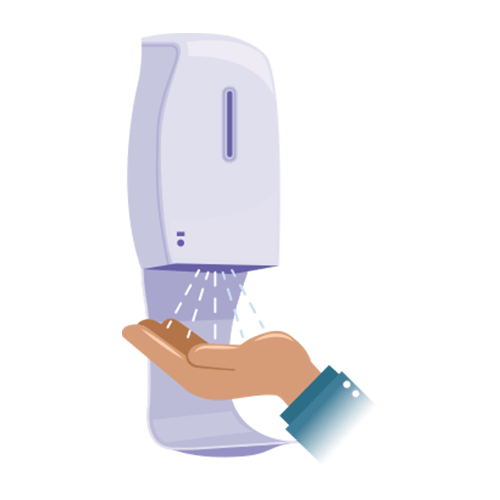
EntrySign can be connected to our smart automatic hand sanitiser to ask staff and visitors to sanitise their hands during sign-in. This ensures that everyone entering your organisation sanitises their hands upon entry, helping to reduce the spread of germs.
Body Temperature Checking
Temperature screening can be integrated into your sign-in process, helping to detect elevated body temperature. This provides an extra level of screening for your staff and visitors.
Arrival Notifications
Meeting hosts can receive an SMS and email notification immediately when their visitor completes the sign-in process. Notifications contain all of their details and a photograph for easy identification.
Pre-booking Notifications
Visitors will receive a notification when they are pre-booked into the system. This email can contain iCal attachments, QR codes to speed up the sign-in process and PDF documents for sending maps, pre-approval questionnaires, or parking permits.
EntrySign LIVE
EntrySign Live’s simple web-app is easy-to-use and can be accessed on virtually any device with an internet connection and web browser. EntrySign Live provides an electronic copy of your roll call in the cloud, accessible on demand.
My EntrySign
The My EntrySign app can be installed on staff devices to provide quick and easy sign-in using their mobile phone. My EntrySign also allows staff to pre-book visitors and see which colleagues are currently signed in.
EntrySign Visitor
The EntrySign Visitor app provides a quick and convenient sign-in for people who regularly visit multiple sites, by pre-populating information, e.g. name, company, vehicle registration and more.
EntrySign Remote
The EntrySign Remote sign in app allows your staff to check in wherever they are working. Define specific work locations using geofencing, or record the exact location at sign-in.